A second attempt reverse engineering drones: Potensic Atom 2
See the previous blog about hacking the Potensic Atom 1 for full context on this latest update.
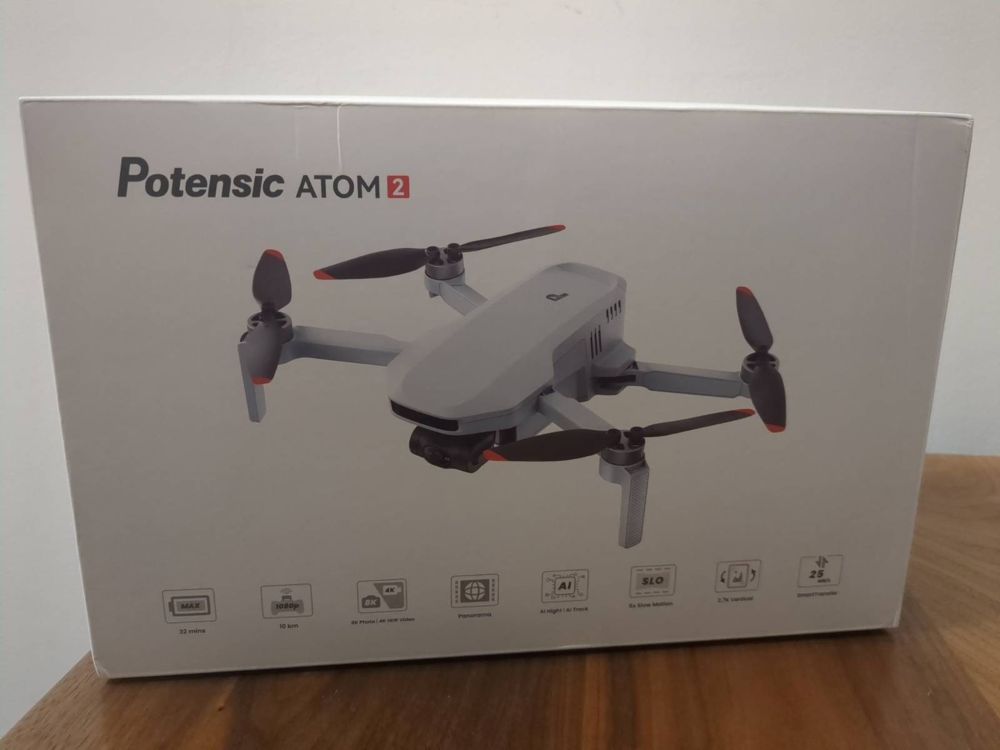
The Potensic Atom 2
I was updated by a reader than the Potensic Atom 2 recently received a new firmware upgrade:
- In the last blog, I only considered the Potensic Atom 1, as the 2 did not support waypoint missions at the time.
- While waypoint missions on the Atom 1 were usable, they had many limitations, such as no gimbal angle adjustment, or altitude adjustments, being possible in an automated way.
- I had read that the new Atom 2 waypoint feature was much more capable, so decided to give it a try.
The New Waypoint Format
I captured a few test waypoint missions and discovered:
- A directory in shared storage, that is easily accessible (thankfully not sandboxed storage!).
- Within this directory, we have a structure as so:
/sdcard/Android/data/com.ipotensic.atom/files/Waypoint/
└── 1770653566867/                  # One waypoint mission (unix timestamp in ms)
    ├── global.json                 # Mission-wide settings (speed, RTH, finish action)
    ├── 1770653566867.json          # Main mission file: waypoints + poi list
    ├── task_1770653542265.jpg      # Mission main thumbnail for Potensic Eve UI
    ├── point_1770653364152.jpg     # Thumbnails for Waypoints in Potensic Eve UI
    ├── point_1770653404823.jpg
    ├── point_1770653417852.jpg
    ├── point_1770653512308.jpg
    ├── point_1770653539697.jpg
    ├── poi_1770653390402.jpg       # Thumbnails for POIs in Potensic Eve UI
    ├── poi_1770653407306.jpg
    └── poi_1770653425134.jpg
Let’s take a look at each file in turn.
global.json
{
  "finishAction": "BACK",
  "globalHeight": 0,
  "globalHeightType": 0,
  "isOrder": true,
  "lostAction": "RETURN",
  "speed": 5.0
}
This is not an exhaustive list of all options, but I have documented the commands I have seen in the JSON:
| Field | What does it mean? |
|---|---|
finishAction |
BACK, LAND, HOVER, RETURN |
lostAction |
RETURN is the only option currently |
speed |
Default mission speed in m/s |
isOrder |
true to execute waypoints in forward order, and false to run in reverse order |
globalHeight |
Default height, if not specified per-point elsewhere. I doubt we will use this. |
globalHeightType |
Probably 0 = relative to takeoff? This can’t be modified in Potensic Eve, so perhaps a future feature. |
<mission_id>.json
- This format is custom and a bit weird.
[ WAYPOINTS ] ; [ POI LIST ]- Yes, Potensic concatenates two arrays with a semicolon 😂.
- The Waypoint array is as follows:
{
  "action": "START_RECORD",
  "fileName": "point_1770653364152.jpg",
  "gimbalPitch": -90,
  "gimbalType": DEFINE,
  "height": 46.1,
  "hoverTime": 0,
  "lat": 52.4553672,
  "lng": 0.302835,
  "poiHeight": 50.0,
  "poiLat": 0.0,
  "poiLng": 0.0,
  "poiType": 0,
  "speed": 5.0,
  "speedType": "GLOBAL",
  "yaw": -171,
  "yawType": DEFINE,
  "zoomRatio": 1.0,
  "zoomType": DEFINE
}| Field | What does it mean? |
|---|---|
lat, lng |
Combined GPS location |
height |
Altitude relative to start point |
hoverTime |
Pause time at waypoint (seconds) |
speedType |
GLOBAL = use global.json value, DEFINE = per-point |
speed |
Travel speed to next point, if using DEFINE for speedType |
gimbalType |
DEFINE = adjust per-point, I haven’t seen a global setting yet |
gimbalPitch |
The gimbal angle for the point, between -90 and +20 |
yawType |
DEFINE = adjust per-point, a global setting wouldn’t be much use |
yaw |
The direction horizontally to capture an image |
zoomType |
DEFINE or GLOBAL, as with other params |
zoomRatio |
Adjust camera zoom. We won’t use this |
action |
START_RECORD (video), STOP_RECORD, PHOTO, NONE |
poiHeight |
Paired with POIs, as described below. Not relevant for us |
poiLat |
Paired with POIs, as described below. Not relevant for us |
poiLng |
Paired with POIs, as described below. Not relevant for us |
fileName |
Points to a thumbnail for the Potensic Eve UI. See info below |
- Perhaps with further exploration, we might find there are additional settings, such as using the previous waypoint value for gimbal pitch and yaw?
- The POI array is as follows:
[
  {
    "fileName": "poi_1770653390402.jpg",
    "height": 46.1,
    "lat": 52.4553676,
    "lng": 0.3028353
  },
  {
    "fileName": "poi_1770653407306.jpg",
    "height": 46.1,
    "lat": 52.4553026,
    "lng": 0.303056
  },
  {
    "fileName": "poi_1770653425134.jpg",
    "height": 46.1,
    "lat": 52.4553901,
    "lng": 0.3025566
  }
]- I believe these POIs simply indicate a fixed target to keep the camera on, so are most useful in video capture mode.
- For waypoint missions capturing fixed shots, they don’t seem to be needed
(simply having
[]for these seems to work).
Photo Thumbnails
- The directory also contains many thumbnails - small compressed
.jpgimages. - These are captured by the camera when the waypoint or POI is captured, simply providing a thumbnail in the Potensic Eve UI for each point.
- After testing, they are purely aesthetic, and omitting them does not matter (we can use dummy filenames in the JSON file).
- I thought it could be nice to update the main mission thumbnail (e.g. to an image of a task number, for easy identification), however, updating these files doesn’t seem to reflect in the Potensic Eve UI (perhaps they are cached elsewhere on the filesystem, or in the app sandbox storage?).
Note
As a quick aside, there is also an interesting directory present:
/sdcard/Android/data/com.ipotensic.atom/files/NoFlyZone/ATOM2/json/dist
Inside this directory, we have a few files, such as CN.json, which contains no-fly geometries in China.
The JSON files are non-standard, containing keys such as type and shape,
with their a single lat/lng pair and radius defined, or a polygon comprised
of lat/lng pairs.
Presumably, the Potensic Atom 2 is prevented from flying in these areas by the Potensic Eve app?
I wonder if we can configure other JSON files, e.g. FR.json to add
no-fly zones in say France?
Pre-Generating Waypoint Missions
So to summarise above, it seems we only really need:
- A directory
/sdcard/Android/data/com.ipotensic.atom/files/Waypoint/<unix_timestamp> global.jsonin the directory, with global flight params.<unix_timestamp>.jsonin the directory, with waypoints.
Updating The drone-flightplan Python Package
I made a PR here to update the drone-flightplan Python package.
This package is used as part of DroneTM to generate waypoint missions in various drone manfacturer formats.
Testing It All Works
- Success! Pre-generating the waypoint missions worked well.
- However, the main caveat, as with DJI Fly, is that you must first create a waypoint mission, then replace the JSON files with your new content (being sure to keep the filename the same).
- Simply copying the directory to
/sdcard/Android/data/com.ipotensic.atom/files/Waypoint/, results in it being deleted when Potensic Eve is loaded. - I believe this is because Potensic Eve uses a similar
map.dbSQLite file to record the waypoint missions (as with the Potensic Atom 1 + Fly app). - I didn’t bother creating a debuggable modified Potensic Eve in order to inspect the app sandbox storage for this, but I’m sure it’s the case.
- While in theory it’s possible to populate the SQLite entries in the sandbox, in practice it’s much simpler to just modify an existing mission (avoiding the need for the user to install a modded debuggable app).
Additional Findings
- It’s possible to name a newly created waypoint mission in the app. This likely saves into the SQLite db, and cannot be externally. Handy to mark the mission as your primary replace mission though.
- The gimbal angle and yaw cannot be set globally, so must be configured at each point where they need to change.
- If using wayline mode in DroneTM, setting the photo internval timer via the mission config is not possible (same as DJI, where it must be manually enabled at the start of the flight).